

The short answer: the best tech house bass plugin depends on whether you want full wavetable synthesis from scratch or fast, mix-ready bass presets that sit cleanly under a kick. For deep sound design and custom wavetable movement, a full synth like Submarine gives you two wavetable oscillators, a dedicated sub oscillator, and deep modulation; for instant inspiration around modern club grooves, dedicated bassline plugins like Bass Face and Base Camp 1 get a groove moving in seconds.
In tech house, the low end is the track. Melodies, vocal chops, and percussion can carry character, but the relationship between your kick drum and your bassline decides whether a record hits on a club sound system or falls flat. Choosing the right plugin is half the equation; programming and mixing it with discipline is the other half.
What Makes a Bass Plugin Actually Work for Tech House?
Not every bass synth built for pop, trap, or EDM translates well to a 124–130 BPM tech house groove. Club low end requires tight phase behavior, fast envelope response, and clear separation between the sub fundamental (roughly 35–80 Hz) and the upper bass harmonics (80–250 Hz) that help the riff cut through small speakers.
When evaluating a tech house bass VST or AU plugin, look for five practical capabilities:
- Reliable mono-phase sub generation: Retriggering oscillator phase on every MIDI note prevents random volume dips from note to note, keeping rolling sixteenth-note or off-beat patterns consistent.
- Fast, snappy filter and amp envelopes: Tech house basslines thrive on short decay times, subtle pitch drops, and tight filter plucks rather than long, muddy sustains.
- Dedicated sub and noise oscillators: Having a clean sine or triangle sub running underneath a textured wavetable or FM mid-layer lets you shape punch and grit without sacrificing low-end weight.
- Built-in saturation and filtering: Gentle harmonic drive inside the synth makes a bassline audible on laptops and earbuds while keeping the fundamental clean.
- Fast preset browsing with full editability: When you are sketching a groove at 2 a.m., you want usable starting points immediately—and the ability to open the hood and tailor the filter, LFOs, and envelope to your track's key and tempo.
Dedicated Bassline Plugins vs. Full Wavetable Synths vs. Preset Banks
Producers generally fall into three workflows when building tech house low end. Understanding where each tool shines helps you avoid buying redundant plugins or getting stuck tweaking knobs instead of finishing tracks.
| Workflow Approach | Best For | Strengths | Trade-Offs |
|---|---|---|---|
| Full Wavetable Synth (e.g. Submarine) | Producers who want one primary synth for basses, leads, plucks, and pads | Deep oscillator routing, custom wavetable import, 8 LFOs, full modulation matrix | More controls to dial in if you only want a quick plug-and-play bass |
| Focused Bassline Plugins (e.g. Bass Face, Base Camp 1) | Fast groove sketching and modern tech house / minimal bass tones | Curated tech house bass voices right out of the box with minimal setup | Less suited for non-bass sounds like pads or leads |
| Synth Preset Banks (e.g. Tech House Vol.1 Serum 2) | Producers already living inside Serum or Serum 2 | Zero new plugin learning curve; inspect every macro and mod routing | Requires owning the host synth (Serum / Serum 2) |
1. Full Wavetable Control with Submarine
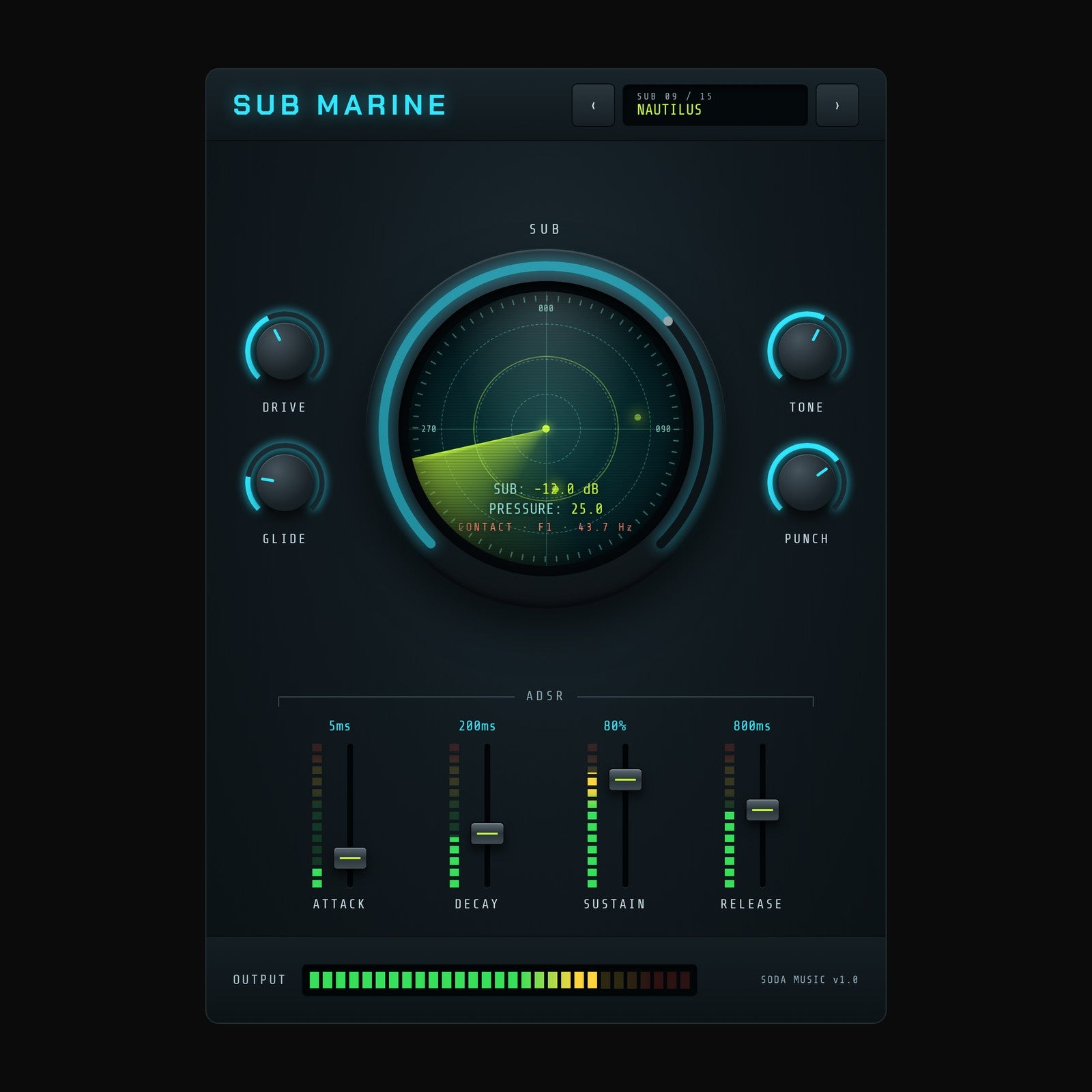
If you want a synth that covers your sub bass and also handles the rest of your melodic arrangement, Submarine is built specifically for house, tech house, and techno production. It ships with 1,000 editable presets organized across six banks (BASS, KEYS, PAD, PLUCK, LEAD, and SYNTH), so you can audition a tight sub or FM bass patch immediately and then switch to EDIT SOUND whenever you want custom control.
Under the hood, Submarine pairs two wavetable oscillators with dedicated sub and noise oscillators, a filter section, envelopes, eight LFOs, a modulation matrix, and two pages of built-in effects. You can also import your own wavetables and save custom sounds into personal banks. It runs natively on macOS (AU and VST3 for Apple Silicon and Intel) and Windows (64-bit VST3) as a one-time purchase with free monthly updates and no subscription.
2. Fast Modern Club Bass with Bass Face and Base Camp 1
Sometimes you already have your drums and vocal hook locked in, and opening a massive synth pulls you out of creative momentum. That is where focused bass plugins earn their keep:
- Bass Face focuses squarely on modern tech house and minimal club low end, offering presets inspired by artists like PAWSA, Cloonee, GORDO, and Keinemusik. It is built for producers who want rolling, punchy basslines without spending twenty minutes programming oscillators.
- Base Camp 1 includes 30 bassline presets across VST, VST3, and AU formats, giving house and techno producers quick access to deep sub weight and tight mid-bass plucks inside Ableton Live, FL Studio, or Logic Pro.
If you like keeping both dedicated tools and broader synths in your template, Soda Music also groups its core instruments together in the Plugin Bundle (5x) alongside Rave Yard and Rave Cave for 90s stabs and rave textures.
3. Serum & Serum 2 Preset Packs for Existing Workflows
Already comfortable inside Xfer Serum or Serum 2? Adding curated preset banks—such as Tech House Vol.1 Serum 2 (50 presets built for Serum 2's engine) or Tech House Presets Vol.1 (48 presets including 21 Serum basses)—lets you reverse-engineer how professional tech house bass patches use short filter envelopes, subtle FM from Oscillator B, and multiband compression.
Step-by-Step: How to Build a Club-Ready Tech House Bassline
Even the cleanest bass plugin will sound muddy if the MIDI pattern and mix staging fight your kick drum. Follow this five-step workflow to lock your low end in place.
Step 1: Choose the Right Octave and Key
Most club subwoofers reproduce fundamentals strongest between E1 (41.2 Hz) and A1 (55 Hz), with solid presence up to C2 (65.4 Hz). If your track is in C minor or D minor, test whether the lowest root note sits better around C1–D1 or an octave up at C2–D2. Notes dropping below 35 Hz often lose physical punch in clubs while eating huge headroom on your master limiter.
Step 2: Write Rhythm Around the Kick's Tail
Tech house basslines get their bounce from syncopation and space, not constant sustain. Before drawing MIDI notes, check how long your kick drum rings out on an oscilloscope or spectrum analyzer. If your kick has a long sub tail, avoid placing long sustained bass notes directly on beat one. Use short sixteenth-note pickups, off-beat stabs, or ghost notes that hit cleanly in the pockets between kicks.
David Guetta walks through the kick-and-bass relationship that makes a modern club track hit, including the sidechain thinking that keeps a tech house groove bouncing instead of fighting itself.
Step 3: Separate Sub Weight from Mid-Bass Character
When a single bass patch tries to deliver both chest-shaking sub and aggressive stereo grit, the low end often blurs. Split the job cleanly:
- Keep the fundamental sub layer (below 100–120 Hz) pure, mono, and dynamically controlled.
- Let the mid-bass layer (120–400 Hz and above) carry saturation, pluck transients, or subtle stereo movement.
- High-pass the mid-bass layer gently around 90–110 Hz so it does not double up on the sub oscillator's phase.
Step 4: Carve Space with Sidechain or Envelope Shaping
You can duck the bass with a sidechain compressor triggered by the kick, a tempo-synced volume shaper, or by trimming the first 10–30 milliseconds of bass notes that land on the downbeat. For rolling tech house grooves, a fast 40–90 ms ducking curve usually sounds tighter and less "pumpy" than slow release settings, letting the bass snap back immediately after the kick transient.
Once the pattern is written, mix engineer Luca Pretolesi shows a practical way to get the kick and bass sitting together with punch and clarity on a club system.
Step 5: Check Mono Compatibility Before Exporting
Most club rigs and festival sub arrays sum low frequencies to mono. If you add chorus, unison detune, or stereo delay directly onto a bass synth, left and right channels can partially cancel each other out when summed to mono—making the bass vanish on a real dancefloor.
A dedicated mono-safe stereo widener like Open Wide (macOS AU/VST3) solves this cleanly: its LOWS crossover keeps everything below your chosen frequency strictly mono while letting mids and highs open up, and its built-in CHECK meter and MONO listen button warn you before phase cancellation ruins your mix.
Common Tech House Bass Mistakes to Avoid
- Over-EQing a weak sound: Boosting +6 dB at 50 Hz rarely fixes a thin patch; it usually means your oscillator octave, envelope decay, or kick-bass tuning is off. Pick a stronger source patch first.
- Too much unison on the sub: Detuned voices create beating and phase wobble in the sub octave. Keep unison voices off on your sub oscillator and apply width only above 120–150 Hz.
- Ignoring kick-to-bass pitch relationships: If your kick has a pitched tail at G and your bass root plays F#, they will clash heavily. Tune your kick or choose a key where the kick tail complements the bass root.
- Leaving subsonic rumble uncut: Apply a gentle 24 dB/oct high-pass filter around 25–30 Hz on your bass bus to clear inaudible DC rumble that triggers your master compressor early.
Quick Checklist Before You Bounce Your Mix
- Solo your kick and bass together and check them in mono—the groove should still feel punchy and stable.
- Check the first harmonic (80–160 Hz) on laptop speakers or earbuds so the bassline remains recognizable even without a subwoofer.
- Compare your kick-and-bass balance against two reference tracks from your target label at matched loudness.
FAQ
What is the best tech house bass plugin for beginners?
If you want a usable groove quickly, start with a focused bassline plugin like Bass Face or Base Camp 1. If you prefer to design sounds from scratch and also need keys, plucks, and leads in the same instrument, a full wavetable synth like Submarine is the stronger long-term choice.
Should I use one bass patch or split the sub and mid-bass?
For club mixes, splitting is usually cleaner. Keep the sub layer (below 100–120 Hz) mono, simple, and dynamically controlled, and let a mid-bass layer carry saturation, pluck, and character above that.
How do I stop my kick and bass from clashing?
Write the bass around the kick's tail instead of sustaining on beat one, duck the bass on the downbeat with a short 40–90 ms sidechain or envelope, and make sure the kick's pitched tail and the bass root note sit in the same key.
Do I need Serum if I already have a dedicated bass plugin?
No. A dedicated bass plugin or a standalone synth like Submarine is enough to finish tracks. Serum or Serum 2 preset banks only make sense if you already own that synth and like working inside that workflow.
Can I use Soda Music bass plugins in commercial releases?
Yes. Sounds you create with Soda Music plugins and presets can be used in commercial releases, DJ sets, and label pitches. You cannot resell the plugins, preset banks, or raw factory sounds as a competing product.
Ready to upgrade your low-end toolkit? Explore Submarine for deep wavetable bass design, test Bass Face for fast club-ready grooves, and lock your stereo image with Open Wide.